Sheru Bhai
Gold chain. Tailored suit. Lion’s mane. Download AI portraits of Sheru Bhai or build a prompt for your own.
Build a prompt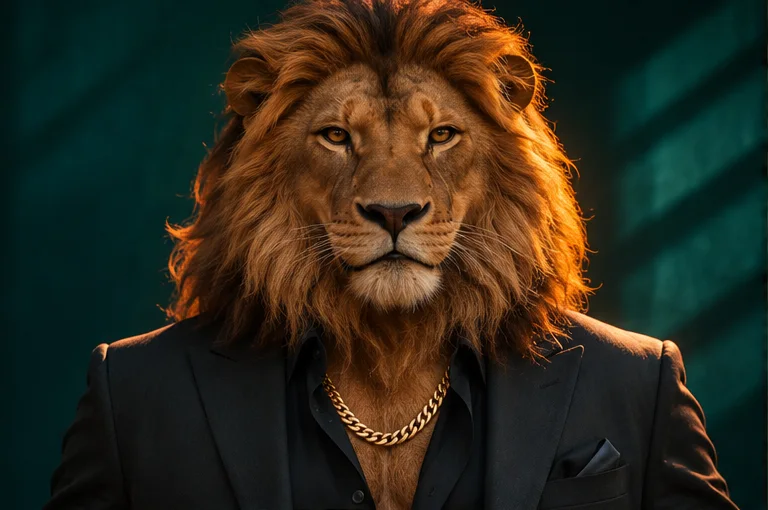
Sheru Bhai photos
Four takes on the same character. Download any portrait as a WebP or use its look in the prompt builder.
Teal Studio
Black tailoring and a warm rim light.
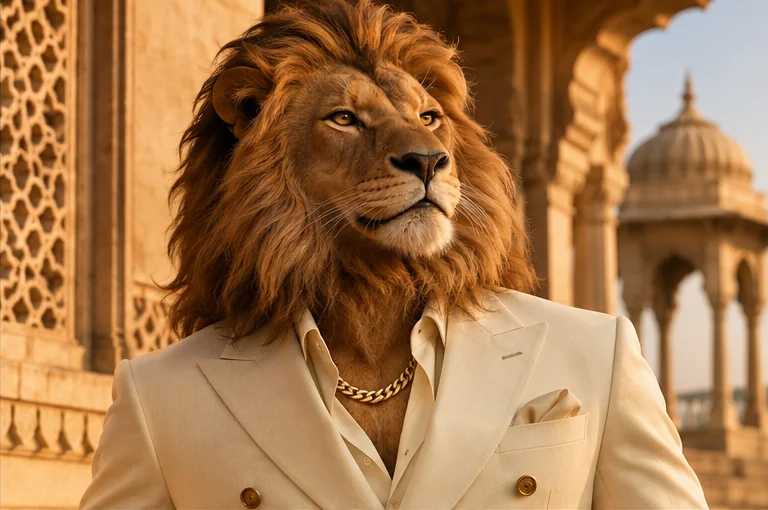
Sandstone Sun
Cream tailoring in late-afternoon sun.
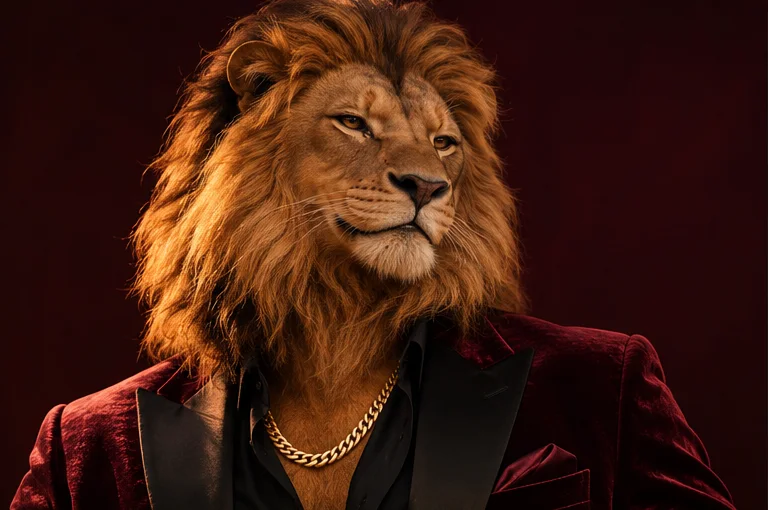
Velvet Room
Burgundy velvet in a low-lit studio.
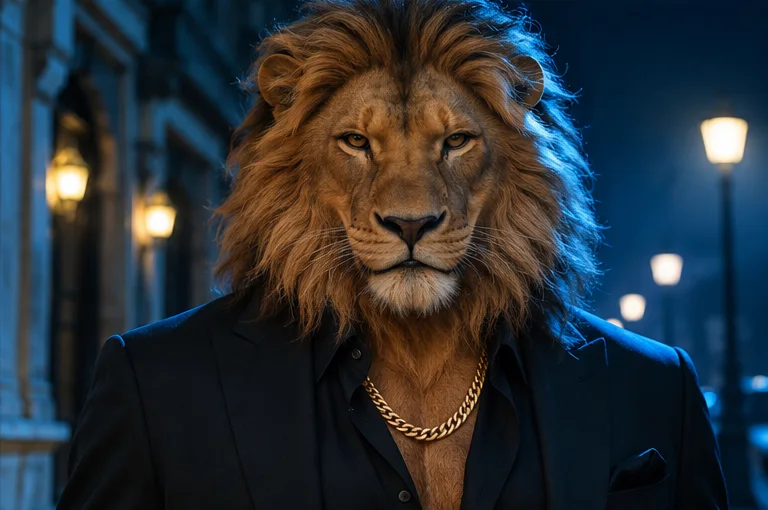
Midnight Street
A black suit lit by a blue city night.
Sheru Bhai prompt builder
Choose a look and a crop. Copy the prompt into your preferred AI image generator.
Direct the portrait
Start with the silhouette
Use a chest-up crop with the eyes above center and enough room for the mane. Keep the lapels and chain visible so the image reads as a tailored character portrait even at thumbnail size.
Give the mane an edge
Against a dark backdrop, ask for warm rim light to separate the fur from the shadows. For a softer look, try late-afternoon side light and a pale background that leaves the jacket easy to see.
Frame for the final use
Choose a square crop for a profile image or a taller crop for a wallpaper. If your generator has an aspect-ratio setting, set it there as well. Leave space around the ears so you can crop later.
About Sheru Bhai
What is Sheru Bhai?
In AI portrait searches, Sheru Bhai refers to a lion-headed character with human styling: a full mane, sharp tailoring and a gold chain. This studio makes original takes on that look.
Where is the photo download?
Pick a portrait under Sheru Bhai photos and select Download. The examples are 768 × 510 WebP files. You can also open the image to save it.
Can I use my own photo?
The builder creates text prompts. For a photo-based edit, upload a reference you have permission to use directly to an image generator that supports reference images, then paste the prompt.
What makes the look recognizable?
Keep the lion’s eyes, mane, suit and chain visible in the same crop. Change the setting or lighting before adding more accessories.
Do I need an account?
Photo downloads and the prompt builder are available without a Studio account. Your image generator may have its own sign-in or usage limits.